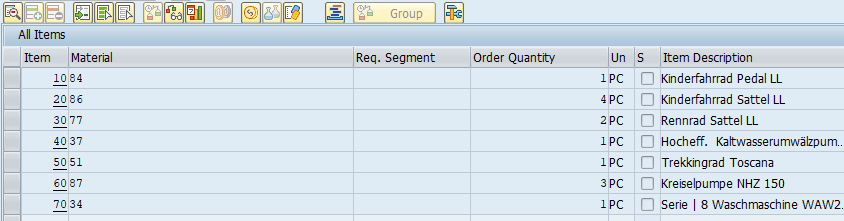
Unmodified SAP screen, transaction VA03
GuiXT
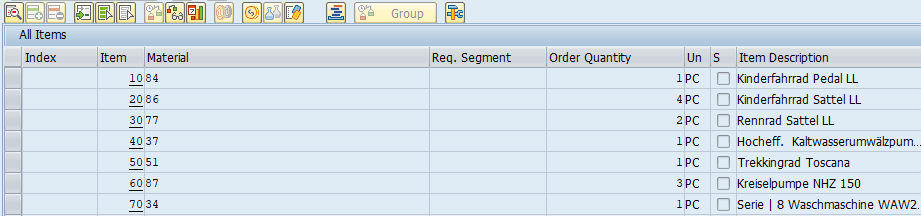
Column "Index" size=10 name="index" position=1
Column "Index" size=10 name="index" position=1

// Create table variable V[table] if not yet done:
if not V[table.rowcount]

  CreateTable V[table] _
    nooptions numerical uppercase intensified _
    readonly proportional checkbox pushbutton

endif

// Populate table with example data
Set V[row] 1

label loop
if V[row<6]
  Set V[table.nooptions.&V[row]] "No Options &V[row]"
  Set V[table.numerical.&V[row]] "12345678 &V[row]"
  Set V[table.uppercase.&V[row]] "Uppercase &V[row]"
  Set V[table.intensified.&V[row]] "Intensified &V[row]"
  Set V[table.readonly.&V[row]] "ReadOnly &V[row]"
  Set V[table.proportional.&V[row]] "Proportional Font &V[row]"
  Set V[table.pushbutton.&V[row]] "PushButton &V[row]"

  if V[row<3]
    Set V[table.checkbox.&V[row]] "X"
  endif

  Set V[row] &V[row] + 1
  goto loop
endif

// Display table
Table (2,2) (9,104) name="table" title="Table" rows=5 fixedColumns=8
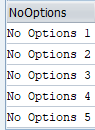
Column "NoOptions" size=12 name="nooptions"
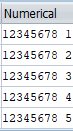
Column "Numerical" size=10 name="numerical" -numerical
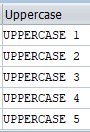
Column "Uppercase" size=12 name="uppercase" -upperCase
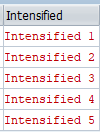
Column "Intensified" size=13 name="intensified" -intensified
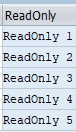
Column "ReadOnly" size=10 name="readonly" -readOnly
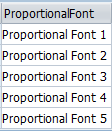
Column "ProportionalFont" size=15 name="proportional" -proportionalFont
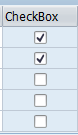
Column "CheckBox" size=10 name="checkbox" -checkBox
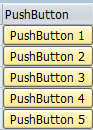
Column "PushButton" size=13 name="pushbutton" -pushButton